


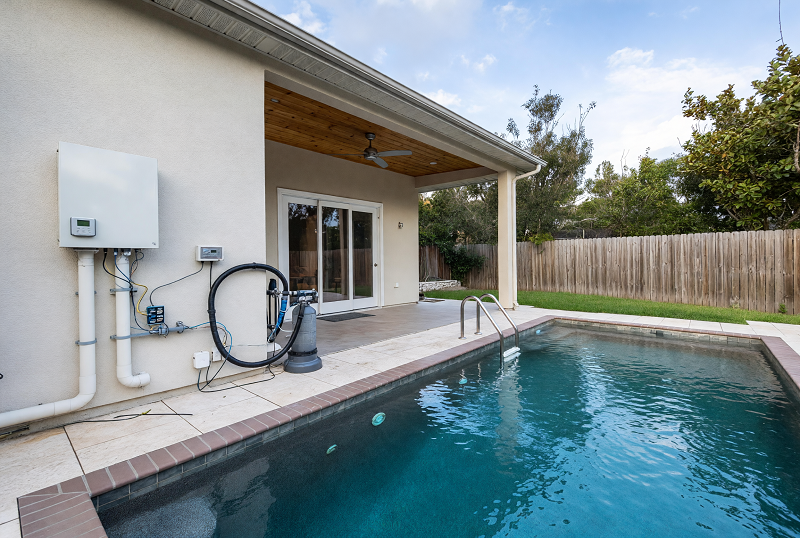
Many pool owners assume that when electricity comes back, the pool returns to normal automatically. In the field, that is where many green-water callouts actually begin. A blackout can reset the controller clock, shift or erase schedules, leave the pump in the wrong mode, interrupt salt chlorination, delay actuator recovery, or bring the app back online while the equipment pad is still operating on the wrong logic. The pool may look fine for the first day, then go dull, lose chlorine support, and turn green 24 to 72 hours later. This guide explains the real failure chain, the differences between timer types, what a homeowner can check safely, and when a service visit is the smarter next step.
The core mistake: power restoration is not system recovery
After an outage, owners often check one thing only: is the controller screen on? That is not the right question. A lit display proves that power returned; it does not prove that the pool recovered its operating state. In a real automation fault, the controller may wake up with the wrong time, the correct schedule attached to the wrong hour, the chlorinator percentage reverted, or an auxiliary left in a manual override that no longer matches normal operation.
Treat the automation as a system that needs state recovery, not just electricity. The recovery target is simple: correct time → correct schedule → confirmed pump runtime → confirmed chlorination → confirmed flow-dependent equipment. If one of those layers fails, the pool can under-run quietly for a day or two before the water shows the result.
That delay is why green water often looks “sudden” even though the operating fault started much earlier:
- Missed pump runtime: circulation drops, skimming weakens, and debris stays in the water longer.
- Lost chlorination window: a salt system only produces chlorine when there is correct flow and a live output command.
- Wrong clock time: the system may still run, but at the wrong hour and with poor daylight coverage.
- Silent restart faults: valves, boosters, heaters, cleaners, or feature circuits may not resume in the intended sequence.
- App false confidence: Wi-Fi reconnects, so the owner thinks the system is healthy, while the pad logic is actually off-plan.
Different systems fail differently after a blackout
One reason owners get confused is that “pool automation” covers several different control styles. A simple digital timer does not fail like a variable-speed pump with internal scheduling, and a full automation panel with relays, actuators, and app control has more ways to return in the wrong state than a standalone clock timer. That is why proper troubleshooting starts by identifying what kind of control layer is actually running the pool.
| System type | Typical blackout behaviour | What to verify first |
|---|
A homeowner may say “the chlorinator stopped working” when the real fault is a timer reset, a missed pump block, a service-mode lock, or a valve path that never returned. The cell itself may be perfectly fine.
Real-world blackout scenarios that commonly lead to green water
The most useful troubleshooting articles are not built on generic advice. They are built on the kinds of patterns technicians repeatedly see on site. These are some of the most common post-outage scenarios behind delayed water deterioration:
The right recovery sequence after a blackout
One of the biggest mistakes after an outage is going straight to chemical correction while the control logic is still wrong. If the pump is under-running or the chlorinator is not actually producing, you can add chemicals and still lose the pool again because the operating fault was never fixed.
Compare three things at the same time: the controller display, the physical equipment behaviour, and the water condition. Blackout faults are often exposed by a mismatch between those three layers.
Diagnostic matrix: symptom → likely cause → how to verify → what not to assume
A useful diagnostic table should not only suggest the likely cause. It should also show how to verify it and what not to assume. That is what separates real troubleshooting from guesswork.
| Symptom | Likely cause | How to verify | What not to assume |
|---|
Do not assume that “shock and move on” fixes a blackout problem. If runtime, flow, or chlorination logic is still wrong, the pool can slip again the next day.
Why the water often turns green 24 to 72 hours later
Green water after a blackout rarely means algae appeared from nowhere in one afternoon. More often, the pool spent one or two days below its normal operating protection. It may have had less circulation, less skimming, a weaker chlorination window, more debris retention, and slower owner response because the early water change looked minor. By the time the colour shift becomes obvious, the operating fault has usually been in place for a while.
- Missed daylight runtime: reduced real-world sanitation support during the period when the pool most needs stable circulation.
- Lost or reduced SWG output: the cell may have power, but not actual production under the right flow window.
- Weaker debris removal: leaves, dust, pollen, and suspended organics stay in the water longer and push demand up.
- Existing marginal balance becomes exposed: a pool that was already running with little margin can tip into trouble quickly after one missed automation cycle.
- Human delay: owners usually notice the result later than the cause.
What homeowners can safely check, and when service is the better choice
Homeowners do not need to become automation technicians, but they can make a smart first pass. The key is knowing where simple verification ends and when a service call will save time, chemicals, and repeat failure.
| Safe homeowner checks | Signs the issue is now beyond a simple reset | Why service becomes the better option |
|---|
If you have restored the time, confirmed the schedule, confirmed real pump flow, and the system still behaves unpredictably, the problem is no longer a basic homeowner reset. That is usually where professional diagnostics save the most money.
How to make the system more resilient before the next outage
Good automation is not only efficient when conditions are perfect. It should also recover cleanly after interruptions. In practice, that means using schedule logic that is easy to verify, avoiding unnecessary overlaps, checking time retention, and making sure the pool still has useful runtime coverage if one block is missed.
- Use clear schedules: fewer, well-defined runtime blocks are easier to check after an outage than messy overlapping programs.
- Keep meaningful daylight coverage: if chlorination depends on pump flow, at least part of the operating plan should support daytime demand.
- Audit manual overrides: temporary service or manual modes are a common reason the system fails to return to automatic operation.
- Check retention behaviour: if the clock drifts or resets more than once, do not ignore it as “just one outage”.
- Test recovery intentionally: a short controlled power interruption can reveal whether the controller, pump logic, and chlorinator resume correctly.
- Review surge protection strategy: repeated unstable restarts may point to a power-quality issue, not just a one-off timer reset.
FAQ
Because most blackout faults are cumulative. The system can run partly wrong for one or two days before the water shows it. Shorter pump runtime, reduced chlorination, weaker skimming, and extra debris load often build into visible dullness first and green water later.
No. A powered screen only shows that the unit has electricity. Actual chlorine production still depends on correct pump runtime, real flow, correct output state, and the automation system sending the right command at the right time.
Restore the automation first: time, schedule, pump operation, chlorinator behaviour, and flow-dependent equipment. Then test and correct the water. Otherwise you may be dosing a pool that is still under-running.
Many outages cause resets rather than permanent damage. But repeated unstable restarts, surge events, memory loss, app mismatch, relay problems, or erratic schedule behaviour should not be treated as normal. In those cases, the control system needs inspection rather than repeated blind resets.
Start with the controller time and active schedules, then confirm that the pump is actually moving water at the expected time. After that, verify that the chlorinator is producing under flow and that valves or auxiliaries are in the correct operating state.
Yes. Communication can recover faster than the equipment logic. That is why you should compare the app view with the controller display, the physical equipment behaviour, and the water condition instead of trusting the app alone.
If the clock keeps resetting, the app and pad do not match, auxiliaries behave unpredictably, chlorination does not resume under correct flow, or the pool keeps losing clarity after basic checks, the issue has moved beyond a simple reset and usually needs professional diagnosis.
After a blackout, do not ask only whether the pool equipment has power. Ask whether the pool has actually returned to its intended operating plan. When the time is correct, the schedules are truly active, the pump is moving water, the chlorinator is producing under flow, and the valves and auxiliaries are in the right state, the water usually follows. When those layers do not recover, green water is often just the delayed symptom of lost automation control.